How to Use Copy-Coin
Follow these simple steps to start automatically copying Binance Smart Money traders on Gate.io
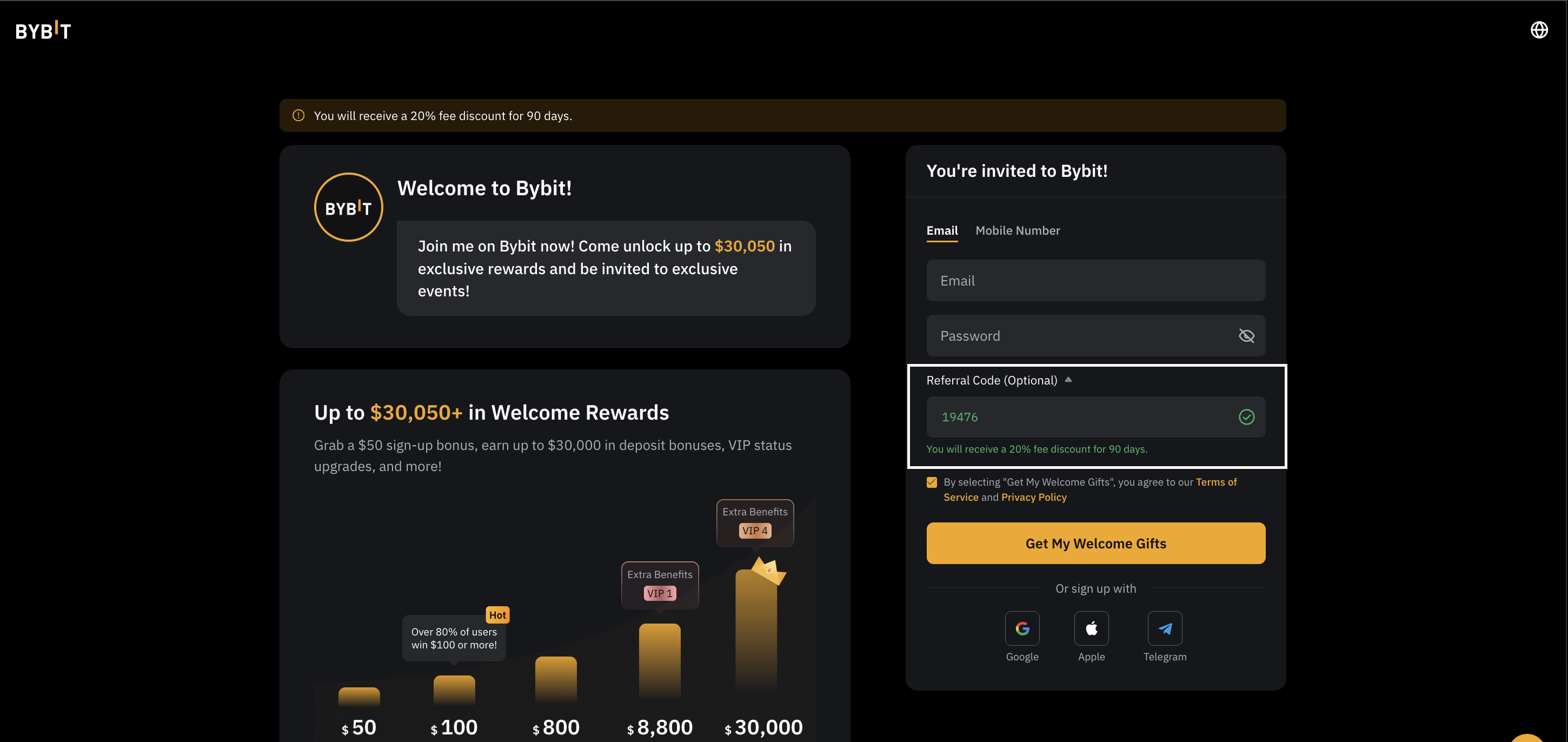
Sign Up for Gate.io
To use Copy-Coin's copy trading service, you must first create a Gate.io account through Copy-Coin's referral link.
- Click the "Sign Up on Gate.io" button on the main page
- Complete the Gate.io registration process
- Verify your email address and complete KYC (Know Your Customer) verification if required
- Save your Gate.io UID (you'll need it in the next step)
Create API Keys on Gate.io
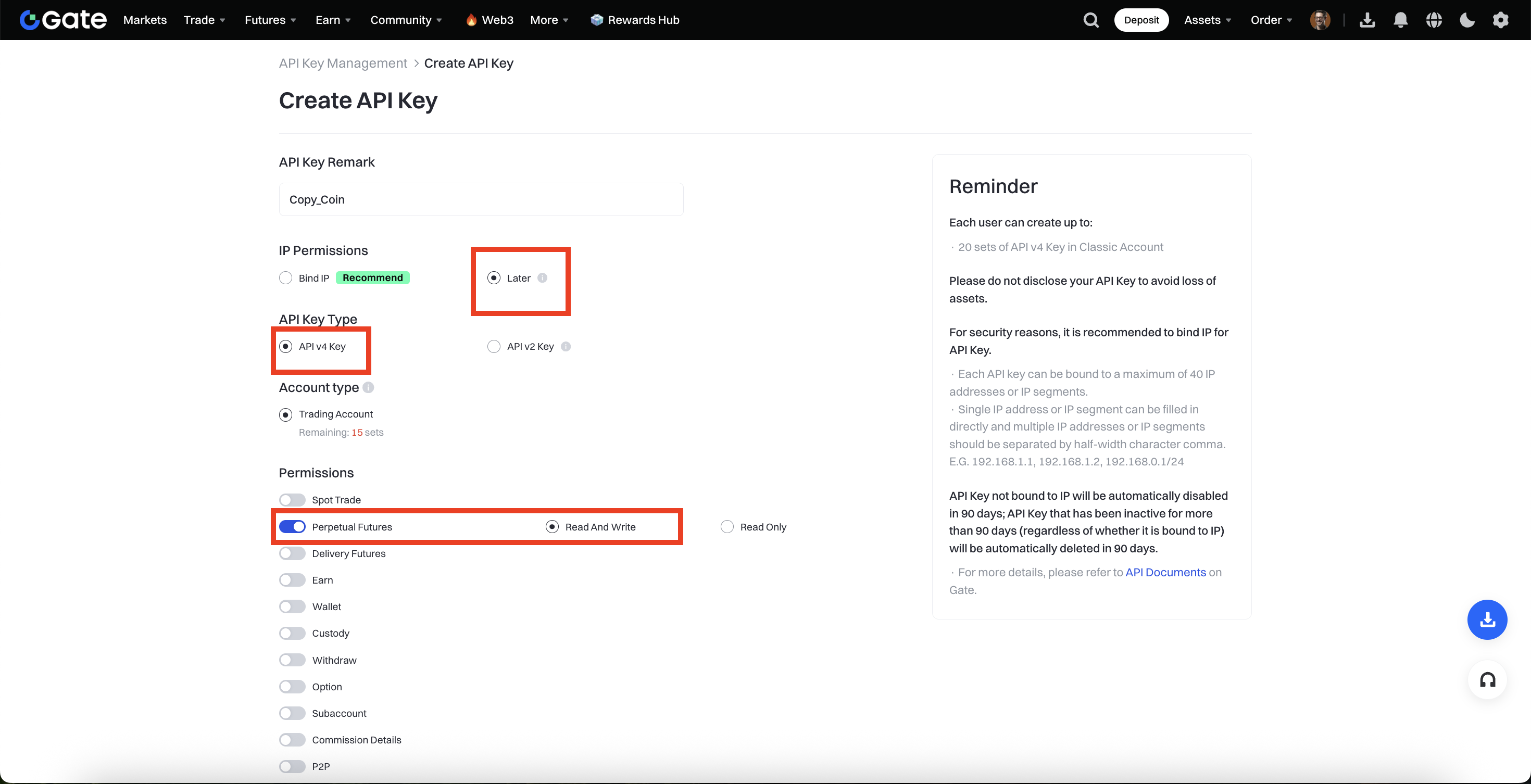
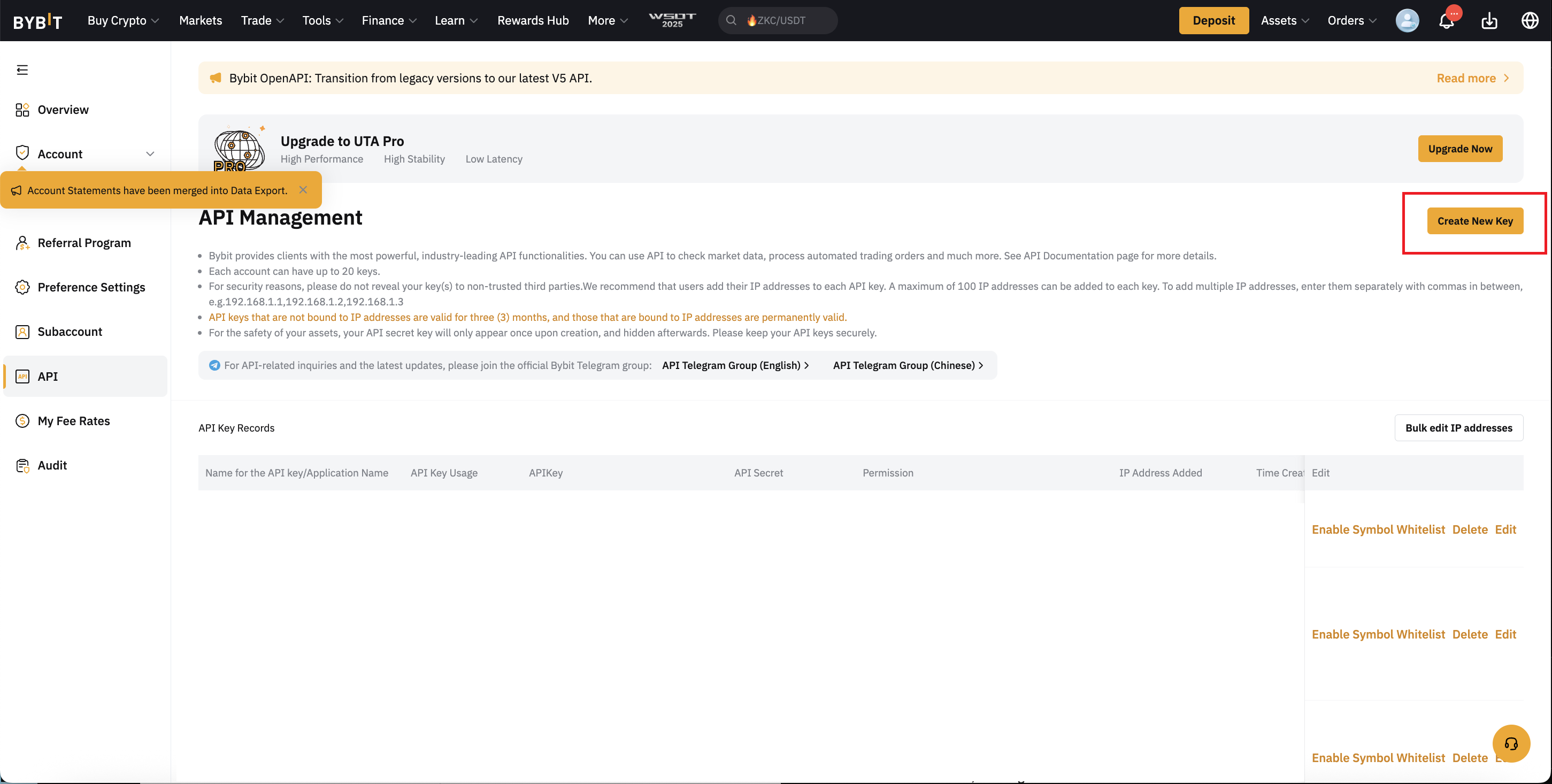
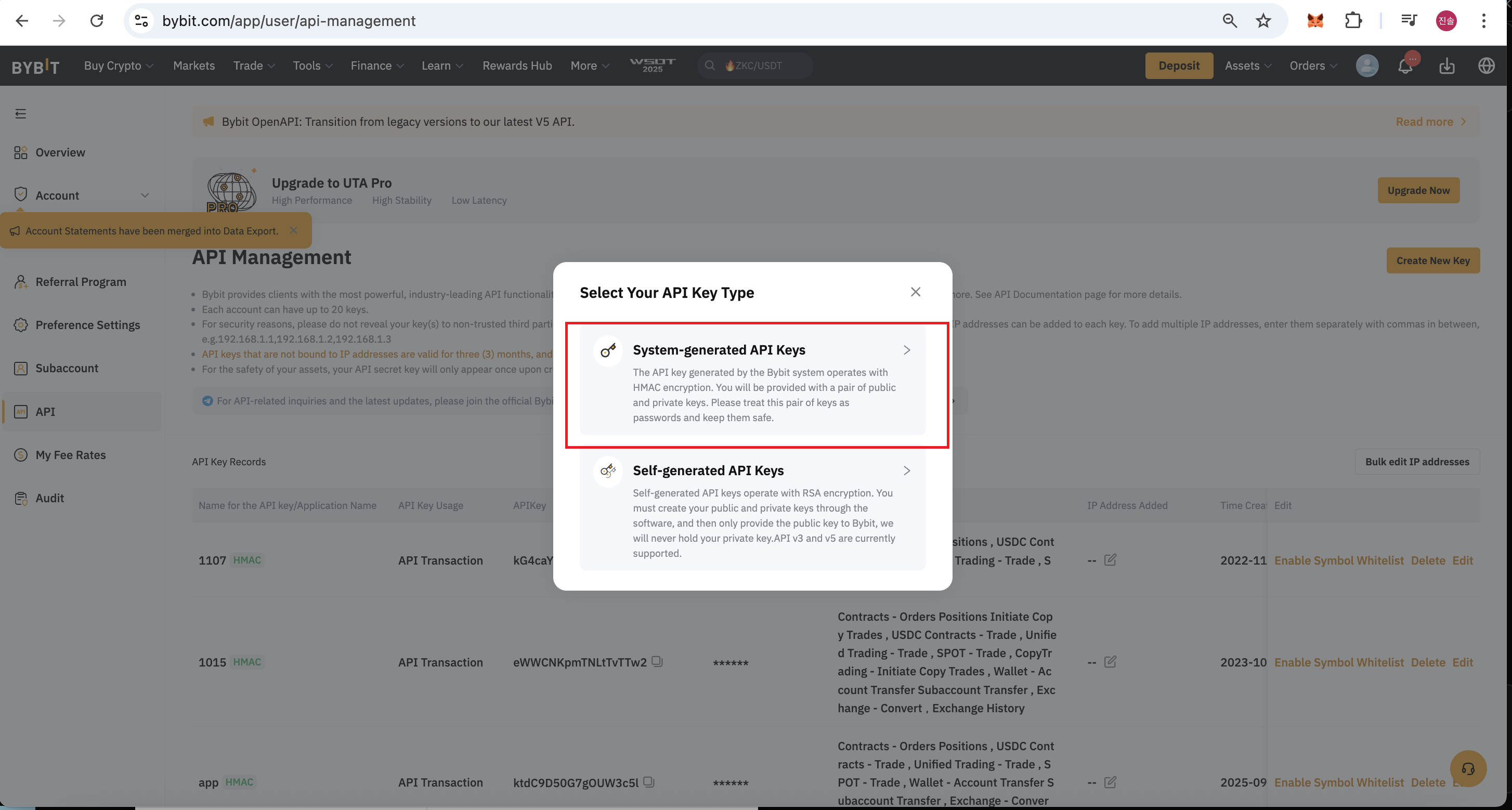
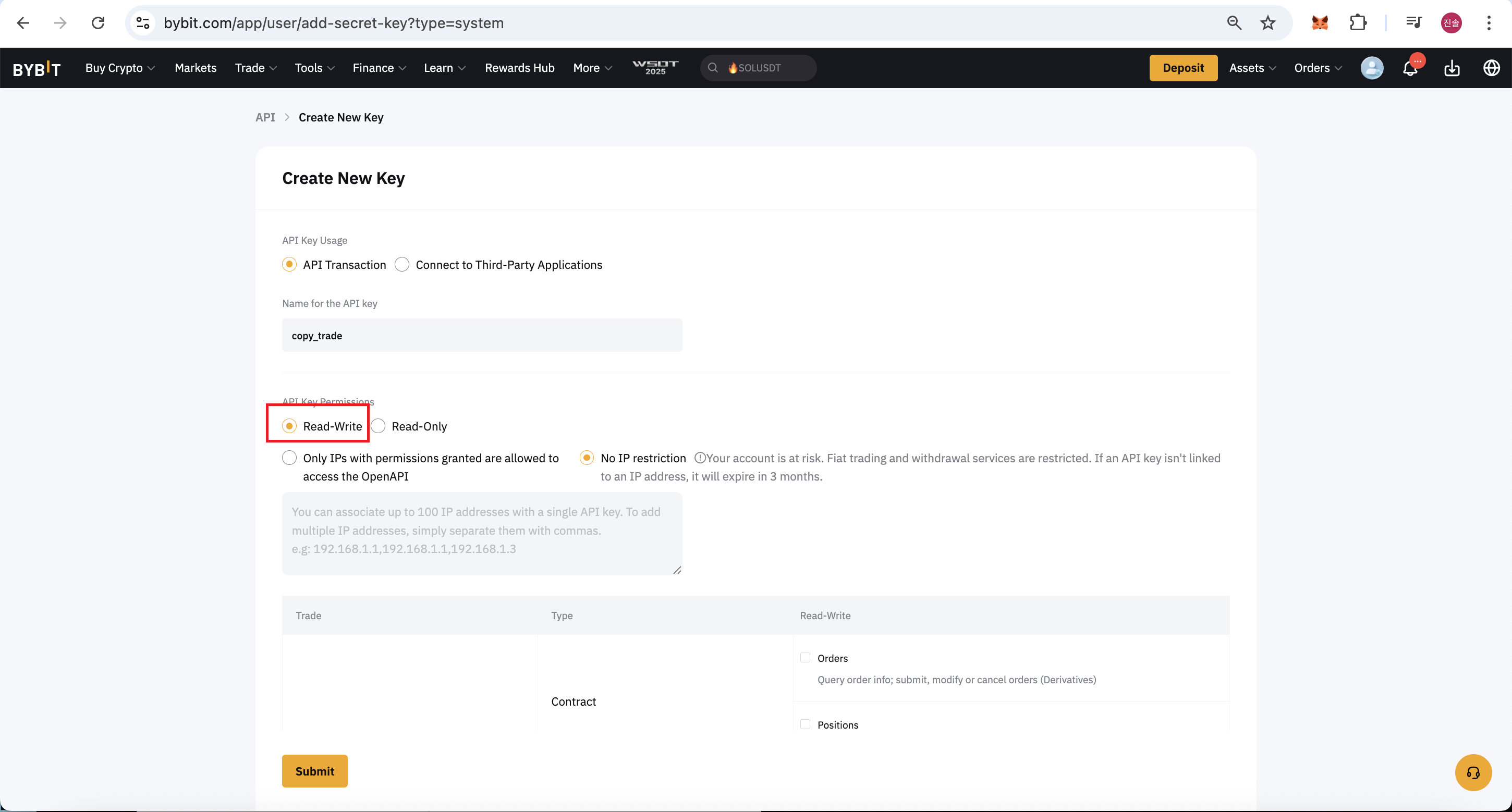
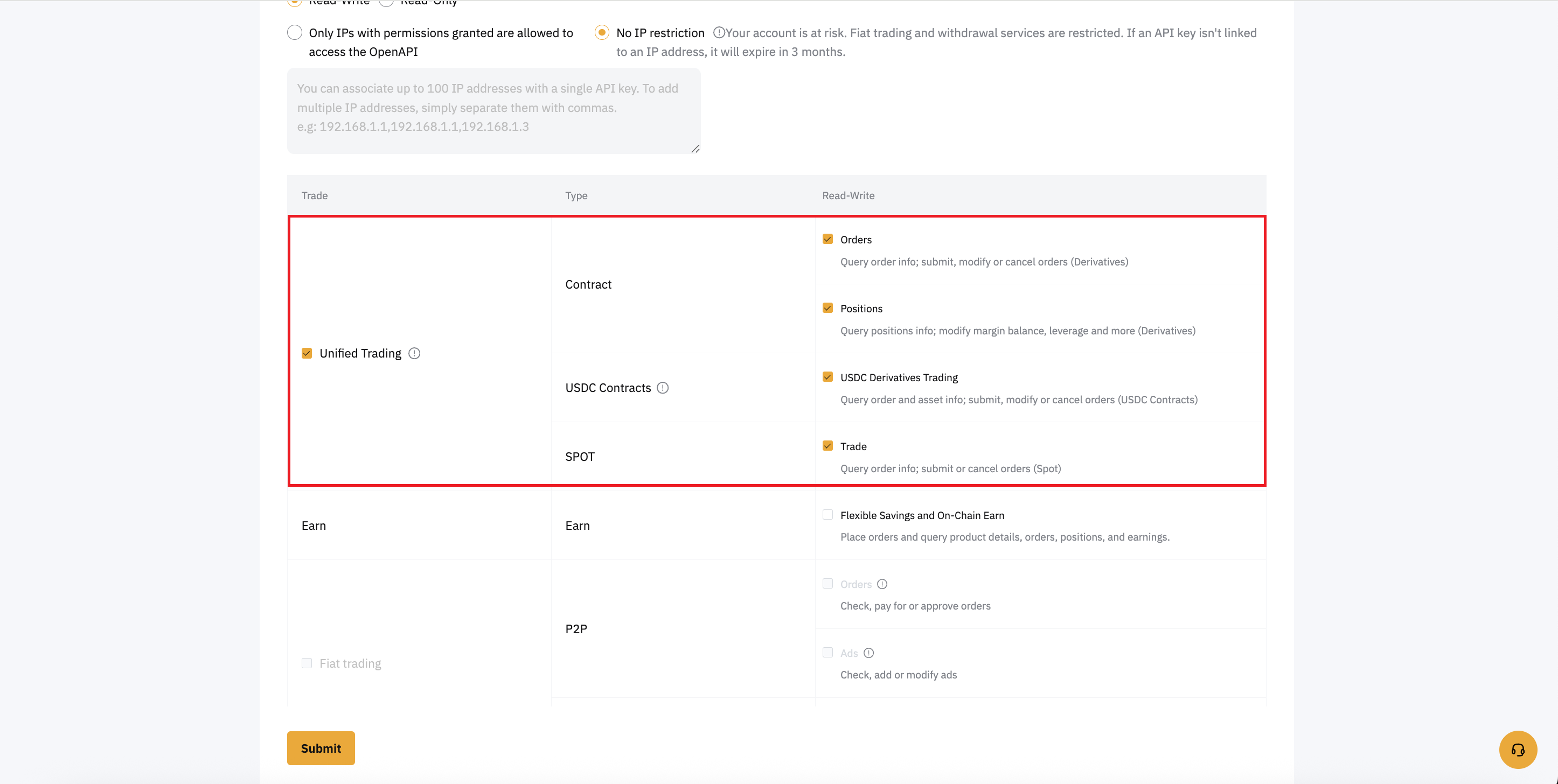
You need to create API keys on Gate.io to connect your account with Copy-Coin. These keys allow Copy-Coin to execute trades on your behalf.
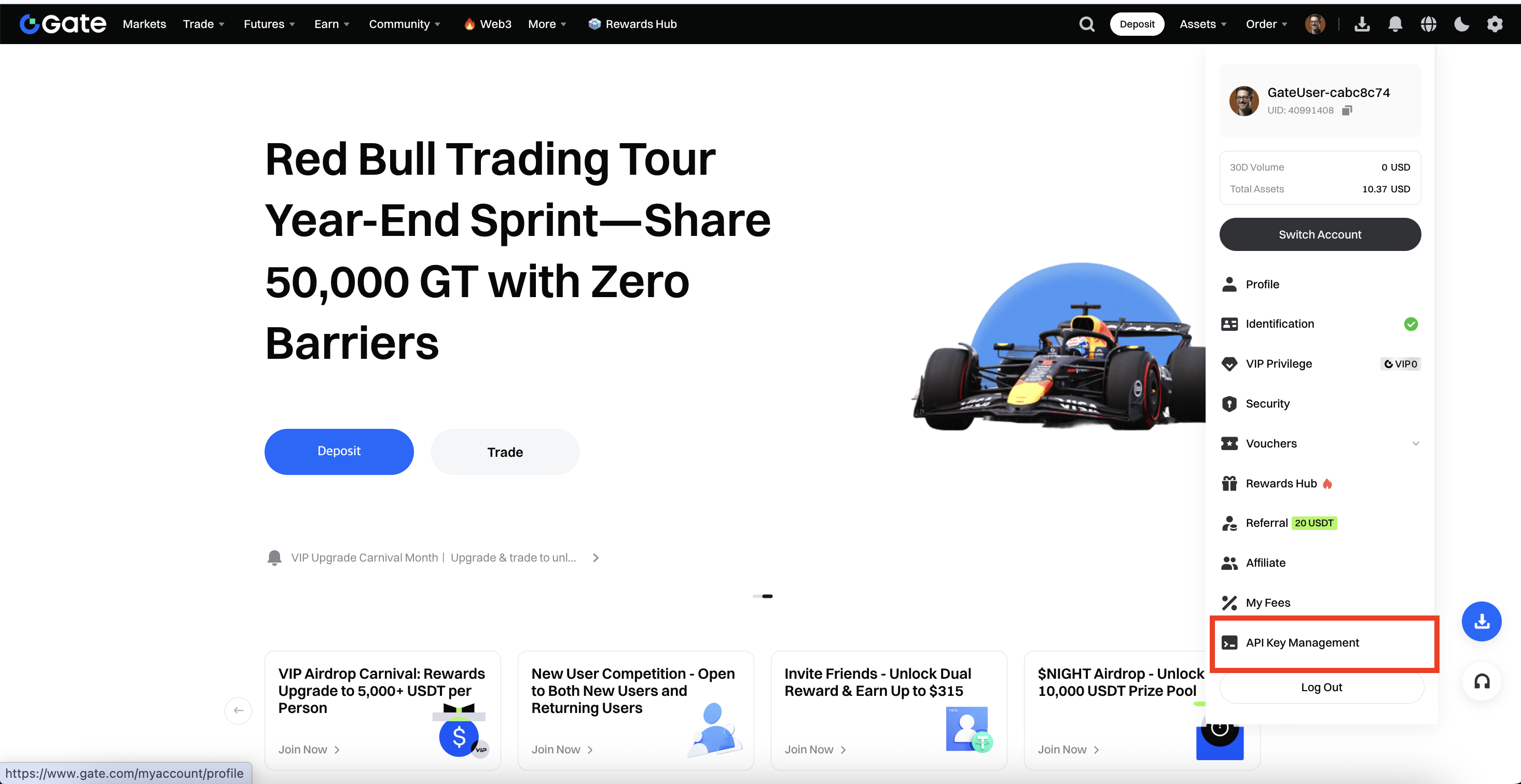
- Log in to your Gate.io account
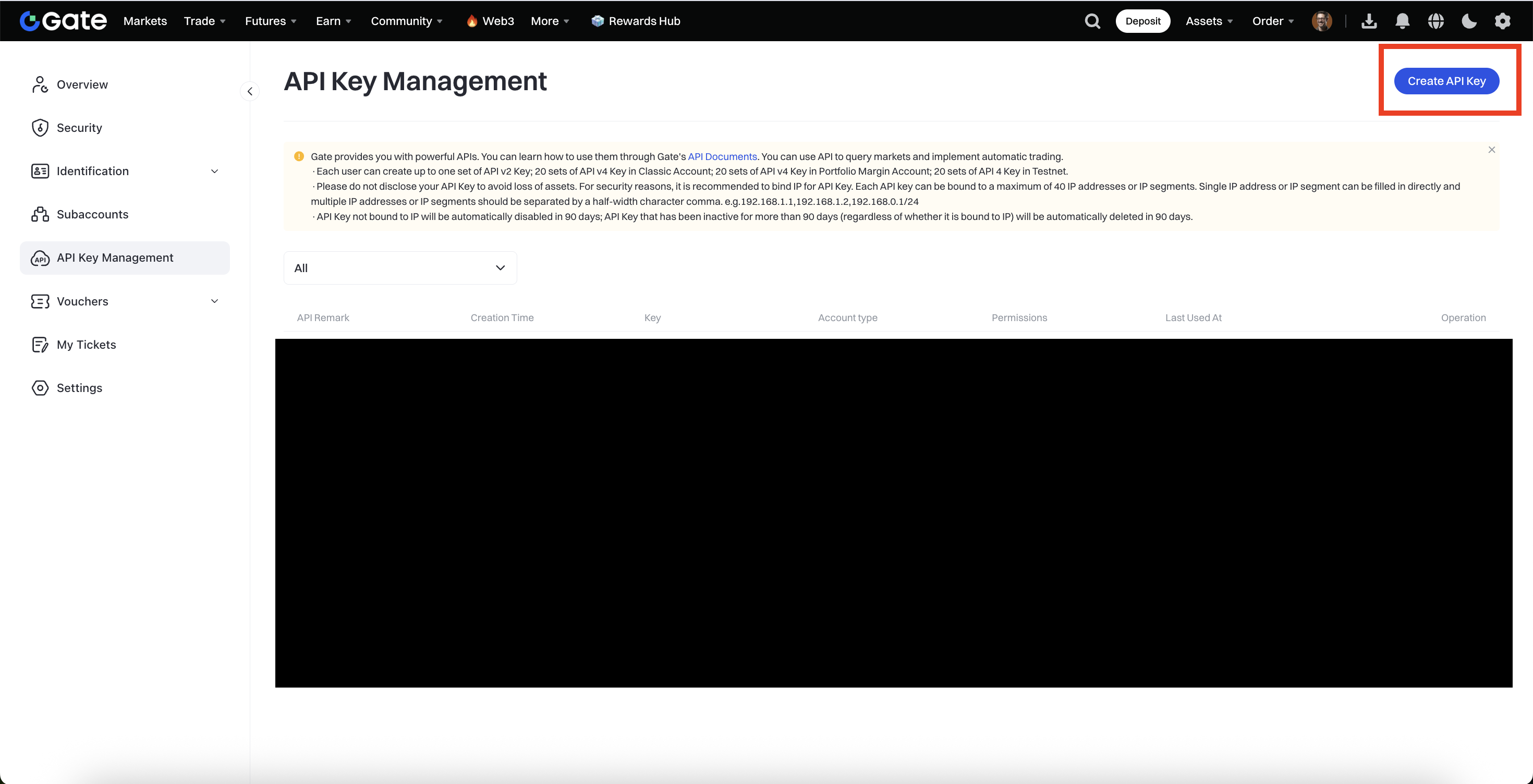
- Go to Settings → API Management
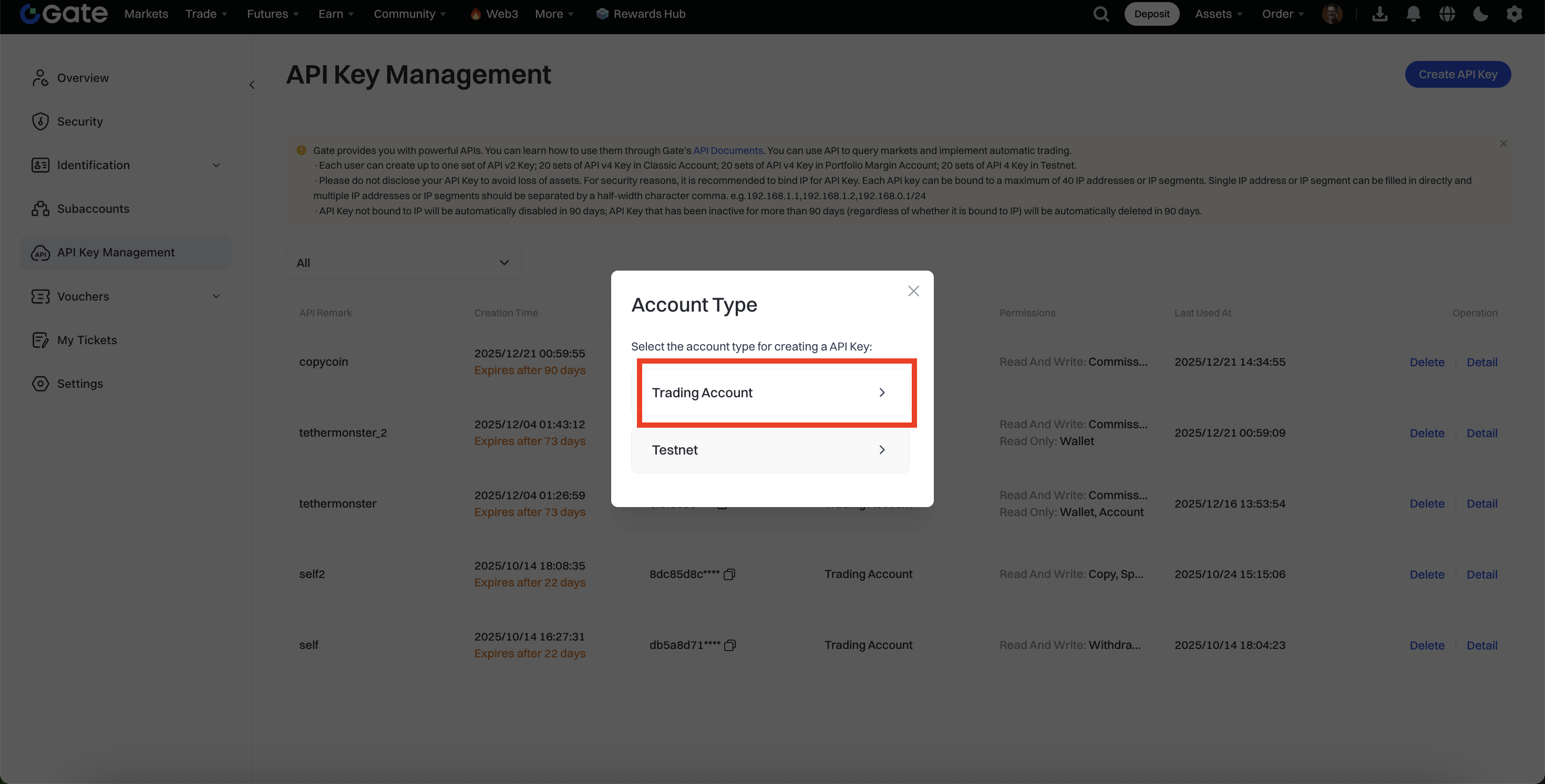
- Click "Create API Key"
- Set API permissions: Read and Trade (both are required)
- Save your API Key and Secret Key securely (you'll need them in the next step)
Browse and Select Traders
Explore the trader screener to find top-performing Binance Smart Money traders. You can filter by various metrics to find traders that match your trading preferences.
- Go to the CopyTrade page
- Browse through the list of traders
- Use filters to sort by:
- ROI (Return on Investment)
- PnL (Profit and Loss)
- Win Rate
- Assets (USD)
- Category (Scalping, Day Trading, Swing Trading, etc.)
- Click "More" on any trader to view detailed performance metrics and charts
Connect Your Gate.io Account
On the trader detail page, connect your Gate.io account by entering your credentials.
- Once you have selected a trader to copy, click the "Copy" button
- Select your trading mode:
- Demo (Testnet): Use virtual funds for testing (recommended for beginners)
- Real Trading: Use actual funds from your Gate.io account
- Enter your Gate.io UID
- Enter your Gate.io API Key
- Enter your Gate.io Secret Key
- Click "Verify & Register"
Set Your Copy Ratio
The copy ratio determines how much of your capital will be used relative to the trader's position size. For example, if a trader uses $10,000 and your ratio is 0.1, you'll use $1,000.
- After successful registration, you'll see your current balance displayed
- The system will automatically calculate a recommended ratio based on your balance and the trader's balance
- You can use the recommended ratio or enter a custom ratio
- Lower ratio = smaller position sizes (less risk, less potential profit)
- Higher ratio = larger position sizes (more risk, more potential profit)
Start Copy Trading
Once everything is set up, click "Start Copy Trade" to begin automatically copying the trader's positions.
- Click "Start Copy Trade" button
- The system will monitor the trader's positions in real-time
- When the trader opens a position, Copy-Coin will automatically open a similar position on your Gate.io account
- When the trader closes a position, your position will be closed automatically
- All trades are executed automatically - no manual intervention needed
Monitor Your Performance
Track your copy trading performance and manage your active copy trades.
- View your current balance and PnL on the trader detail page
- Monitor active positions in real-time
- Check trade history to see all executed trades
- You can stop copy trading at any time by clicking "Stop Copy Trade"
Tips & Best Practices
- Start Small: Begin with a low copy ratio and demo mode to get familiar with the platform
- Research Traders: Review trader performance history, win rate, and trading style before copying
- Risk Management: Never invest more than you can afford to lose
- Keep API Keys Secure: Never share your API keys and rotate them periodically
Frequently Asked Questions
Q: Can I use my existing Gate.io account?
A: No, you must sign up for Gate.io through Copy-Coin's referral link. Only accounts registered through Copy-Coin can use the copy trading feature.
Q: Is my money safe?
A: Yes, your funds always remain in your Gate.io account. Copy-Coin never holds or transfers your assets. All trades are executed directly through Gate.io's secure infrastructure.
Q: What happens if I lose connection?
A: Copy-Coin runs on our servers 24/7. Your copy trading will continue even if you close your browser or lose internet connection.
Q: How do I stop copy trading?
A: Go to the trader's detail page, scroll to the Copy Trading panel, and click "Stop Copy Trade". You'll need to re-enter your API keys for security verification.
Contact
Have questions or need help? Contact us via Telegram for assistance.
Ready to Get Started?
Follow the steps above to start automatically copying top Binance Smart Money traders